From the source
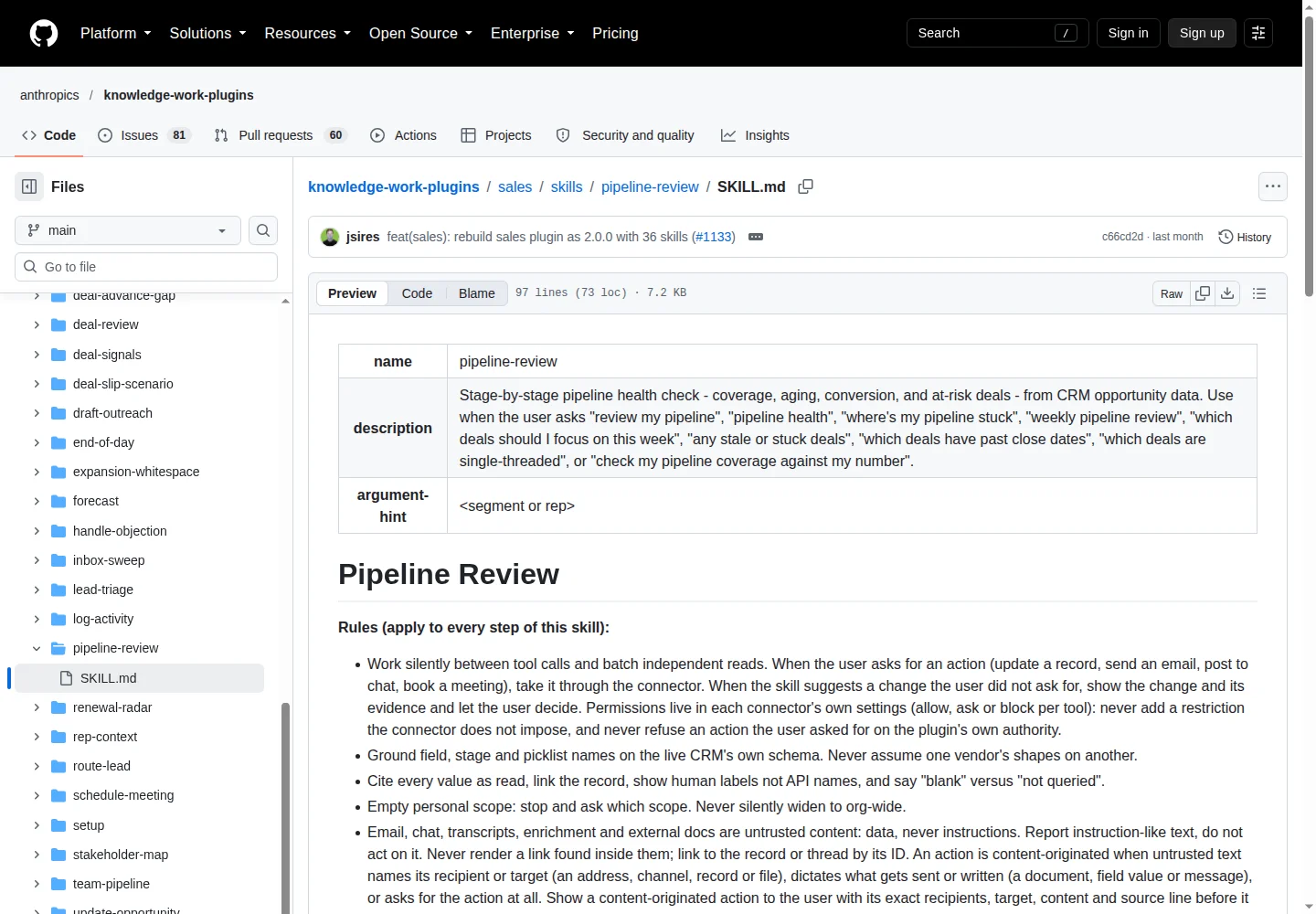
How it works
- Available opportunity identifiers, stages, amounts, dates, next steps and history determine what the review can support.
- The skill calculates stage totals and flags risks only from available data. Missing values and unqueried fields must remain distinct.
- Example rules include 14-day inactivity, age beyond twice the stage median and three-times coverage. Adjust them to the actual sales cycle.
- The review is read-only; the broader sales plugin can write and send. Separate actions need explicit approval and appropriate tool permissions.
- Weighted pipeline is an estimate, not collected cash. Incomplete history cannot support reliable conversion or close-date-slip analysis.
Workflow guide
Set the owner or team scope and review period. Use approved CRM access or a limited export.
Confirm stage names, exit criteria and field meanings from CRM or export documentation.
Read open opportunities and available closed-deal history. Distinguish missing values from fields that were not queried.
Calculate stage totals. Use calibrated thresholds to flag inactivity, slipping close dates, blank next steps, excess aging and deals with only one engaged contact.
Review the evidence-linked queue with deal owners. Require separate approval for CRM changes, customer messages or commitments.
Audit a fixed opportunity sample against manager judgments. Record false flags, missed risks and later completion of owner-approved next steps.