From the source
How it works
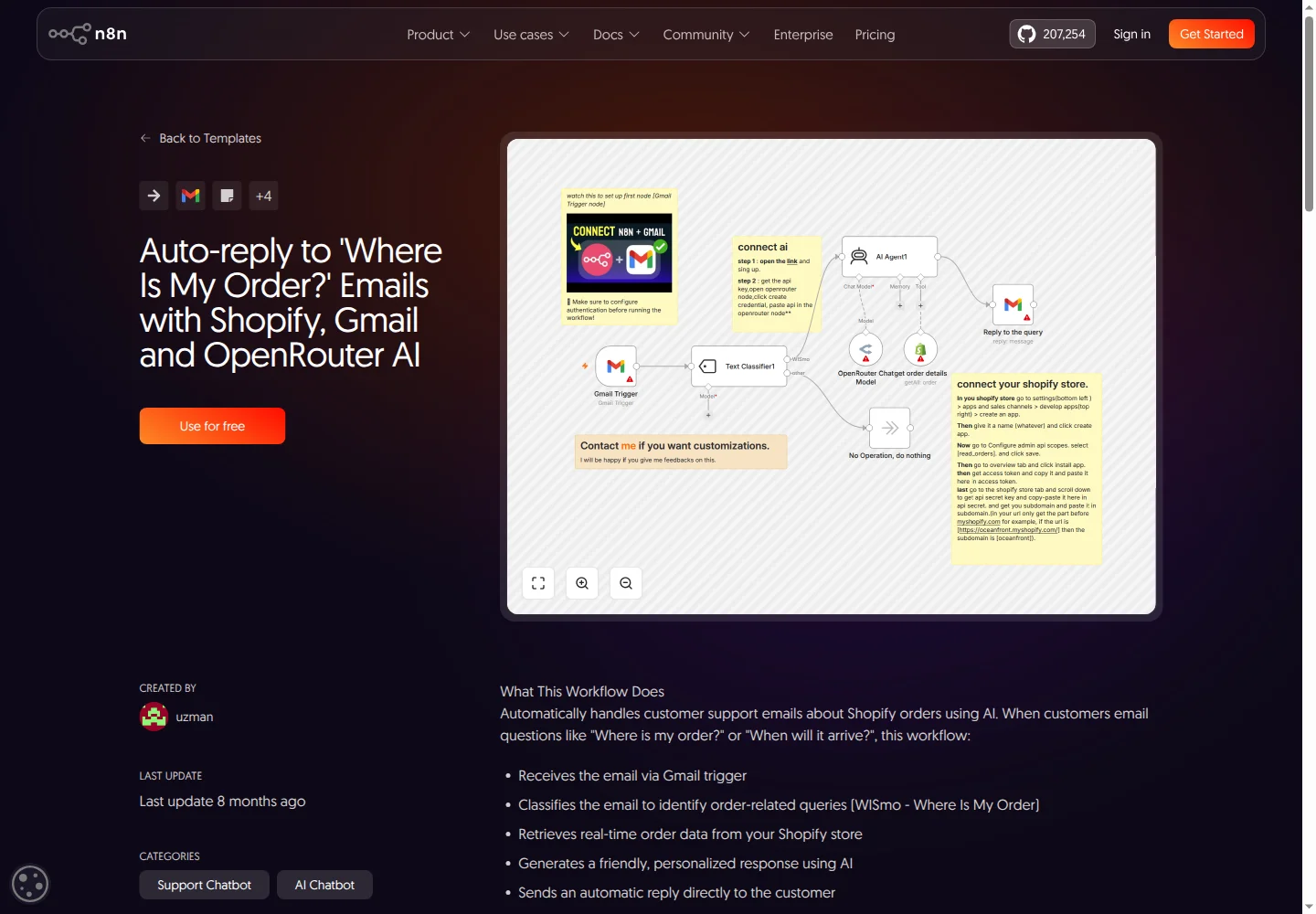
- The inspected export has 11 nodes. A Gmail snippet feeds classification; non-order messages route to No Operation rather than a completed support response.
- The Shopify tool uses getAll with returnAll true. Read-only order access is still broad and does not establish requester authorization or least privilege.
- The final Gmail node directly replies with the agent output and uses the trigger's threadId as messageId. Review identifiers and duplicate triggers before use.
- Shopify read-only access does not make the whole workflow read-only: sending email is an external write. The export has no human approval or draft-only step.
- No support accuracy, resolution or time-saving result is verified. A safe pilot needs full email context, narrow order access and explicit send approval.
Workflow guide
Import workflow 9705 into an isolated test environment with a test mailbox, synthetic orders and a fixed email sample. Disable automatic replies before running it.
Route uncertain and non-order messages to normal support instead of the original No Operation branch.
Replace all-order retrieval with an approved narrow lookup that verifies requester access to the order.
Draft from timestamped fulfillment and tracking facts plus the relevant full email, not the snippet alone.
Replace automatic sending with human review. Test message IDs, thread IDs and duplicate-trigger protection.
Compare classification, exact status, access checks and review time with manual handling. Record failures, duplicate sends and leakage before approving any sends.