From AI Hype to Company Capability: executive AI workshop
Buying everyone a chatbot licence is not an AI strategy: only 37% of companies report any EBIT impact from AI. This workshop shows how to turn recurring work into skills and agents, roll out team by team, and run a narrow first 30 days.
Specialty Tokens, September 2026
Key points
- An AI agent combines a skill (the task written in plain English), a model running in a loop (think, act, check, repeat) and connections into real systems, and runs a task from start to finish on its own. (1:18)
- By December 2025, Claude Opus 4.5 could complete software tasks that take a human 4 hours 53 minutes, with 50% success. (2:58)
- Only 37% of companies report any EBIT impact from AI, while 80% report higher personal productivity. (7:08)
- Flexport's planning AI refills cancelled bookings with later shipments, saving $20,000 per $1 million of ocean spend. (7:08)
- Klarna's AI handles about two thirds of customer chats, and response times fell from 11 minutes to under 2 minutes. (7:08)
- Companies move through four levels of AI adoption: no company AI, company-wide chat, internal systems where AI can read company data, and agent workflows where an event starts the process. (10:54)
- Specialty Tokens recommends rolling out AI team by team, with an AI lead who maps each workflow, calculates its ROI, builds the skills and agents, then hands over and moves to the next team. (14:11)
- Four tech issues stall AI adoption: old models, no company context, skills built separately in silos, and shadow AI. (21:44)
- AI mistakes are rarer and smaller than people expect: a human typo turns 4 into 40, while an agent's miss turns 4 into 5. (29:18)
- The first 30 days of an AI rollout should stay narrow: one team, one problem and one owner (days 1 to 7), interview the doers and write the first skills (days 8 to 14), pilot against a baseline (days 15 to 21), then stop, improve or expand (days 22 to 30). (31:58)
Chapters
- 0:00 Who we are
- 1:18 The basics: LLM, MCP, skills and agents
- 2:58 How AI got useful for everyday work
- 7:08 Why AI spend does not show up in results
- 10:54 The four levels: from no AI to agent workflows
- 11:28 Worked example: cleaning Google Ads keywords
- 14:11 How to roll AI out across your company
- 21:44 Tech issues that stall adoption
- 26:41 The aha moment
- 29:18 AI mistakes: rarer and smaller than you think
- 30:26 The company-wide roadmap
- 31:58 Your first 30 days
- 34:21 The J-curve: why the dip is the investment
- 35:22 What to do before you leave today
The written edition
Most companies buy AI licences and see little in the results: 80% report higher personal productivity, but only 37% report any EBIT impact. The workshop argues that the gap closes when a company turns the work its people already know how to do into skills and agents wired into real systems, rolled out team by team and starting with one problem. We run it with the Austrian Federal Economic Chamber (WKO) for owners, managing directors and the heads of finance, operations and sales.
Thomas Schlossmacher and Nik Redl of Specialty Tokens lead it, drawing on eight AI deployments at companies from around 30 people to more than 150.
The basics: LLM, MCP, skills and agents
Four words come up throughout:
- LLM: the model, a large language model.
- MCP: the integration that connects a model such as Claude or ChatGPT to tools like Notion, Salesforce or HubSpot.
- Skill: a small script in plain English for an AI model; more than a prompt, less than a full document. Creating an invoice is an example.
- Environment: where it runs, such as a sandbox, your own computer or a server.
Put a skill (the playbook), a model running in a loop (think, act, check, repeat) and connections into your systems together, and you get an agent: something that runs a task from start to finish on its own.
How AI got useful for everyday work
Peter Steinberger, a founder and engineer from Vienna, built OpenClaw, one of the first agent platforms. It showed that agents with access to your email, calendar and other tools can help with everyday work. His model bill for 30 days was $1.3 million: 603 billion tokens across about 100 Codex instances. Nobody should spend that per person, but it hints at where AI will be in 6 to 12 months.
By December 2025, with Claude Opus 4.5, models had crossed a threshold: on software tasks, Opus 4.5 could complete tasks that take a human 4 hours 53 minutes, with 50% success. AI moved from answers to actions: read, plan, use tools, check the work.
It started with coding and now reaches knowledge work. If work has inputs, rules and a result, it can be codified. The new models work with PowerPoint, Excel and Word.
Why AI spend does not show up in results
Spend per employee varies by more than 600 times. The median company spends $11.95 a month per employee on AI, less than one ChatGPT licence. The top 10% spend $650; the top 1% more than $7,400.
Companies that spend and get results:
- Flexport: a planning agent refills cancelled bookings with later shipments, saving $20,000 per $1 million of ocean spend.
- Ramp: AI builders worked beside underwriters for two weeks. Decision time fell from two days to as little as four hours.
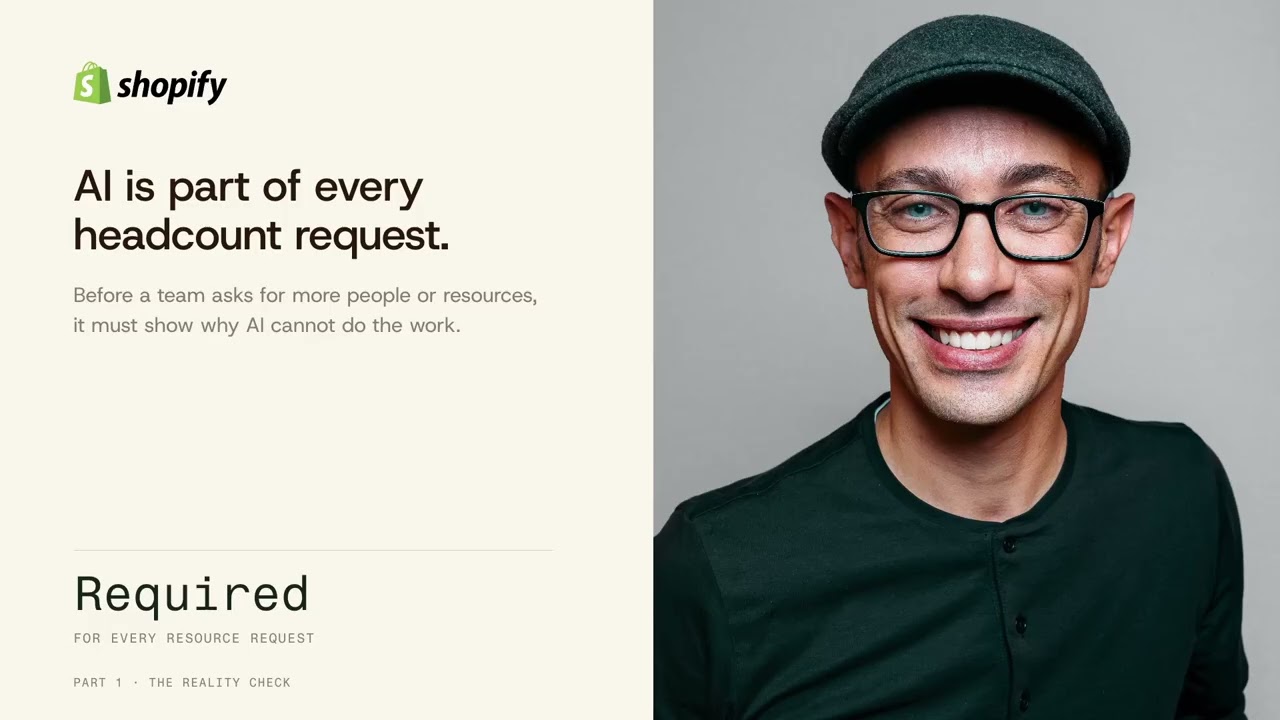
- Shopify: every request for more people must show why AI cannot do the work.
- Klarna: AI handles about two thirds of customer chats; response times fell from 11 minutes to under 2.
So why does more spend not always become more output? Companies try to skip levels: they spend on things they have not learned to use yet, and get little back.
The four levels: from no AI to agent workflows
Companies do not jump straight to agents. They move through four levels:
- No company AI: the employee does the work.
- Company-wide chat: AI helps, people move the data.
- Internal systems: AI can read company data.
- Agent workflow: an event starts the process.
Worked example: cleaning Google Ads keywords
Google adds keywords to search campaigns automatically, and some do not fit ("free office chair"). Once a week, someone removes them.
- No AI: every Monday the employee downloads the list, cleans it and uploads it again. Every case starts from zero.
- Chat: the employee gives the file to ChatGPT or Claude, accepts its suggestions and uploads the list. AI is available, but the employee still carries the work.
- Systems: the chat connects to Google Ads. The employee asks it to check new keywords against five rules and remove the matches. No more copying, but someone still types the prompt every Monday.
- Agent: nobody types anything. The agent cleans the list every Monday and raises an exception for a person when something is unexpected.
One good answer is not yet a system. Solving one case takes 5 minutes; designing for the next 100 takes about two hours: the trigger, context, tools, actions and human handoff. Small systems compound. In the example, 40 hours of hands-on work falls to 35 in month one, 25 by month three and 10 by month six. Two hours once, five hours back every week, and the freed time builds the next system.
How to roll AI out across your company
A chatbot is not an AI strategy. A licence does not change how people work. "We're not there yet" usually means scattered pilots with no repeatable results: procrastination dressed up as experimentation.
There are two rollout models. Team by team (recommended) starts with one function and is easier to control and evaluate. Horizontal gives everyone a tool at once: token use goes up, but nobody learns to build, maintain or govern what they use.
Every team gets an AI lead: an engineer for the role, an internal hit squad or a chief AI officer. In a small company that may be the founder. The lead's job is a loop:
- Sit with the team and map each workflow from start to finish.
- Calculate the ROI of each one.
- Build the skills, agents and automation.
- Hand over and move to the next team.
Each pass gets cheaper, because the context, connections and standards from the last one are already there. Whatever stays undocumented stays manual. Knowledge kept in heads walks out with every resignation; in a shared library, it compounds.
Tech issues that stall adoption
Four tech issues kill adoption, and all are solvable:
- Old models. A two-year-old model such as GPT-4o gives poor results, and people conclude AI does not work. Which model, at what strength and in which thinking mode still decides everything.
- No company context. Every agent wakes up knowing the world and nothing about your company, until you connect your ERP, documents and knowledge.
- Silos. Three people build the same skill, such as a company voice or slide skill, each slightly different. In one shared library, a skill is built once and reused everywhere.
- Shadow AI. The company bans a tool, employees pay by credit card, the company buys an official plan, a competitor launches a new one, and the cycle repeats. The way out is one central, supported access point people are happy to use daily.
The people issues are harder because they take time. Opinions freeze at the last try: six months ago, the free chatbot was about two years behind the frontier. When someone says AI cannot do it, ask when they last checked, and on which model.
The aha moment, and why AI mistakes are smaller than you think
Before the aha moment, there is no adoption; after it, people go all in. It rarely happens by accident, so engineer it. Two demos work for different people: a task they do every day, done end to end by AI, or AI producing something beyond their own skills, such as slides for a non-designer.
After the aha, people go from zero to 120 and use AI for everything, Slack messages included. Expect the overshoot and coach them back to just under what AI can reliably do. Calibration is a constant battle, not a one-time fix.
Yes, AI makes mistakes, but rarer and smaller ones than people expect. A human typo turns 4 into 40. An agent's miss turns 4 into 5. The hardest thing agents stumble on is incorrect human data.
The company-wide roadmap
Start with the business outcome and measure ROI against the problem solved, not the tokens used: increase revenue (sales, conversion, expansion), reduce risk (compliance, errors, exposure) or improve operations (speed, cost, quality).
Then rank candidate agents by return, in two buckets: go-to-market (sell more, win faster) and operations (same output, lower cost, fewer errors).
Your first 30 days
The first 30 days stay deliberately narrow.
- Days 1 to 7, discover: one team, one problem, one owner.
- Days 8 to 14, capture: interview the people who do the work and write the first skills.
- Days 15 to 21, pilot: a small group against the baseline.
- Days 22 to 30, operationalize: stop, improve or expand.
The J-curve: why the dip is the investment
The dip is real, temporary and normal. You either invest your own time in how the company operates or bring in extra help, as Ramp did. Companies that push through compound their advantage; companies that give up fall further behind.
What to do before you leave today
Write down four things: your first business problem, the accountable owner, the first skill you capture, and the decision you make on day 30.
Do not begin with "How do we deploy AI everywhere?" Begin with "What valuable work do our people already know how to do, and how can we turn it into a secure, reusable company capability?"
Frequently asked questions
What is an AI skill?
A skill is a standard operating procedure written so an AI agent can follow it. A good one covers role, task, inputs, process, output, quality, boundaries and one real example. A prompt answers once; a skill repeats.
What are the four levels of AI adoption?
No company AI, company-wide chat, connected internal systems, and agent workflows where an event starts the process and people handle the exceptions.
Should we roll out AI to everyone at once?
The workshop recommends team by team: one function first, with an AI lead who maps the work, calculates ROI, builds skills and agents, then moves to the next team. A horizontal rollout is faster but harder to govern.
How do we start in the first 30 days?
Pick one team, one problem and one owner (days 1 to 7), interview the doers and write the first skills (days 8 to 14), pilot against the baseline (days 15 to 21), then decide to stop, improve or expand (days 22 to 30).
Does AI make too many mistakes to trust?
AI mistakes are rarer and smaller than most people expect: a human typo can turn 4 into 40, while an agent's miss is more like 4 into 5. The hardest thing agents stumble on is incorrect data entered by people.
The slides
Slide 1: Workshop AI Leadership
Workshop AI Leadership
What Silicon Valley is Doing and How to Lead Your Own Rollout
SPECIALTY TOKENS
Slide 2: Today's Session
Today's Session
01
08.30
The Reality Check
What is actually changing
02
09.00
Build Your First AI Skill
Hands-on, everyone builds
03
09.40
The Company-Wide Picture
From experiments to capability
04
10.10
Your Company Roadmap
A 30-day rollout plan
AGENDA
Slide 3: Where our learnings come from
Where our learnings come from
Gaslab
Lessons from real rollouts, not theory.
INTRODUCTION
Slide 4: Meet your workshop leaders
Meet your workshop leaders
Nik, left · Thomas, right
Nik Redl
Director · Engineer, operator and AI advisor
Built Mokker past one million users before its acquisition by Soona
Former Soona Chief of Staff; now advises companies across AI
Thomas Schlossmacher
Director · Product-focused founder and educator
Two-time founder; built Resonant past 25 million dictations
Teaches AI and tech online to more than 75,000 subscribers
YOUR WORKSHOP LEADERS
Slide 5: Four words you will hear all day
Four words you will hear all day
THE MODEL
LLM
A SCRIPT IN ENGLISH
Skill
THE INTEGRATION
MCP
WHERE IT RUNS
Environment
SHARED VOCABULARY
Slide 6: Put them together and you get an agent
Put them together and you get an agent
THE PLAYBOOK
Skill
The task, written in plain English.
+
THE ENGINE
LLM loop
Think, act, check, repeat.
+
THE HANDS
Connections
MCP into your real systems.
AUTONOMOUS
Agent
Runs start to finish on its own.
SHARED VOCABULARY
Slide 7: The Reality Check
PART 1
08.30
The Reality Check
Replace AI hype with a practical understanding of what is changing, what agents can actually do, and why adoption is primarily an organizational problem.
Slide 8: Peter Steinberger
Peter Steinberger
Founder and engineer from Vienna.
Made OpenClaw. Moved the frontier.
Slide 9: 603B tokens · 7.6M requests · about 100 Codex instances
PETER'S MODEL BILL, 30 DAYS
$1.3M/Month
603B tokens · 7.6M requests · about 100 Codex instances
PART 1 · THE REALITY CHECK
Slide 10: By December 2025, models had crossed a threshold.
CLAUDE OPUS 4.5
By December 2025, models had crossed a threshold.
PART 1 · THE REALITY CHECK
Slide 11: The human task length Claude Opus 4.5 could complete with 50% success.
MEASURED ON SOFTWARE TASKS
4h 53 min
The human task length Claude Opus 4.5 could complete with 50% success.
PART 1 · THE REALITY CHECK
Slide 12: AI moved from answers to actions.
AI moved from answers to actions.
Read · plan · use tools · check the work
PART 1 · THE REALITY CHECK
Slide 13: If work has inputs, rules and a result, it can be codified.
If work has inputs, rules and a result, it can be codified.
it started with coding
now knowledge work
PART 1 · THE REALITY CHECK
Slide 14: of companies report any EBIT impact from AI.
37%
of companies report any EBIT impact from AI.
80% report higher personal productivity.
PART 1 · THE REALITY CHECK
Slide 15: AI spend per employee varies by over 600×.
AI spend per employee varies by over 600×.
MONTHLY SPEND
MEDIAN
$11.95
TOP 10%
$650
TOP 1%
$7,400
PART 1 · THE REALITY CHECK
Slide 16: Flexport made freight cheaper and faster.
Flexport made freight cheaper and faster.
Its planning AI fills cancelled bookings with later shipments. Ocean spend fell 2%, while transit time fell 20%.
$20K
SAVED PER $1M OF OCEAN SPEND
PART 1 · THE REALITY CHECK
Slide 17: Ramp put AI builders beside underwriters.
CASE 02 / 04
Ramp put AI builders beside underwriters.
They worked together for two weeks and added AI to the real approval process. The experts stayed inside the design loop.
2 days
DECISION TIME BEFORE
4 hours
AS LITTLE AS AFTER
PART 1 · THE REALITY CHECK
Eric Glyman, co-founder and CEO
Slide 18: AI is part of every headcount request.
AI is part of every headcount request.
Before a team asks for more people or resources, it must show why AI cannot do the work.
Required
FOR EVERY RESOURCE REQUEST
PART 1 · THE REALITY CHECK
Slide 19: AI handles routine service. People keep the hard cases.
CASE 04 / 04
AI handles routine service. People keep the hard cases.
Customers can still choose a person. The assistant covers refunds, returns, payments, cancellations, disputes, and invoice errors.
OF CUSTOMER CHATS
< 2 min
DOWN FROM 11 MINUTES
PART 1 · THE REALITY CHECK
Sebastian Siemiatkowski, co-founder and CEO
Slide 20: Why does more AI spend not become more output?
Why does more AI spend not become more output?
PART 1 · THE REALITY CHECK
Slide 21: Companies do not jump straight to agents.
Companies do not jump straight to agents.
One customer request, four ways of working.
01
No company AI
The employee does the work
02
Company-wide chat
AI helps, people move the data
03
Internal systems
AI can read company data
04
Agent workflow
An event starts the process
PART 1 · THE REALITY CHECK
Slide 22: Someone checks the new Google Ads keywords.
THE RUNNING EXAMPLE · ONCE A WEEK
Someone checks the new Google Ads keywords.
ergonomic office chair
office chair meme
buy office chair vienna
free office chair
PART 1 · THE REALITY CHECK
Slide 23: The employee does the work.
01
No AI
02
Chat
03
Systems
04
Agent
The employee does the work.
Every case starts from zero.
Every Monday
Employee
List cleaned
Google Ads
PART 1 · THE REALITY CHECK
Slide 24: AI helps. The employee moves the data.
01
No AI
02
Chat
03
Systems
04
Agent
AI helps. The employee moves the data.
AI is available. The employee still carries the work.
Every Monday
Employee
List cleaned
Google Ads
AI chat
PART 1 · THE REALITY CHECK
Slide 25: AI can read the real data.
01
No AI
02
Chat
03
Systems
04
Agent
AI can read the real data.
Data access removes copying. It does not create a workflow.
Every Monday
Employee
List cleaned
Google Ads
Connected AI
PART 1 · THE REALITY CHECK
Slide 26: One good answer is not yet a system.
01
No AI
02
Chat
03
Systems
04
Agent
One good answer is not yet a system.
SOLVE ONE CASE
5 min
DESIGN THE NEXT 100
~2 hrs
Define the trigger, context, tools, actions, and human handoff.
PART 1 · THE REALITY CHECK
Slide 27: The work now runs as a system.
01
No AI
02
Chat
03
Systems
04
Agent
The work now runs as a system.
The trigger starts the work. People take the exceptions.
Every Monday
Agent
List cleaned
Google Ads
Exceptions
PART 1 · THE REALITY CHECK
Slide 28: Small systems compound.
01
No AI
02
Chat
03
Systems
04
Agent
Small systems compound.
The workload stays the same. The part you do by hand shrinks.
DONE BY HAND
RUNS AS SYSTEMS
HANDS-ON
TODAY
40 h
MONTH 1
35 h
MONTH 3
25 h
MONTH 6
10 h
Two hours once. Five hours back, every week. And the freed time builds the next system.
PART 1 · THE REALITY CHECK
Slide 29: Build Your First AI Skill
PART 2
09.00
Build Your First AI Skill
Hands-on: every participant leaves with one working, reusable skill based on their own work. No sensitive company or customer data during the exercise.
Slide 30: Who has built a skill before?
Who has built a skill before?
From your survey answers, several of you are closer than you think.
PART 2 · BUILD YOUR FIRST AI SKILL
Slide 31: Kidlin's Law
Kidlin's Law
PART 2 · BUILD YOUR FIRST AI SKILL
Slide 32: If you can write it down, you have already solved half the problem.
If you can write it down, you have already solved half the problem.
in your head
written down
PART 2 · BUILD YOUR FIRST AI SKILL
Slide 33: A prompt answers once. A skill repeats.
A prompt answers once. A skill repeats.
A skill is your way of working, written down.
PART 2 · BUILD YOUR FIRST AI SKILL
Slide 34: Skills compound across the company
Skills compound across the company
today
a year from now
prompts, one at a time
first skill
a team library
every role, every week
skills, shared and reused
Every skill you save makes the next one easier.
PART 2 · BUILD YOUR FIRST AI SKILL
Slide 35: Skill = SOP for AI
Skill = SOP for AI
A standard operating procedure document, written so an agent can follow it.
PART 2 · BUILD YOUR FIRST AI SKILL
Slide 36
LIVE DEMO
LIVE DEMO
Slide 37
Examples
PART 2 · BUILD YOUR FIRST AI SKILL
Slide 38: Market monitor for regulatory change
Market monitor for regulatory change
skills/legal-monitoring-spain/SKILL.md
PURPOSE
Tells us the moment Spain's time tracking law moves
TRIGGER
Runs unattended every Monday morning, no questions asked
SOURCES
Google Alert emails from Gmail, last 7 days, nothing else
FILTER
Law keywords plus brand mentions; football noise skipped
URGENT
BOE publication triggers an instant alert, not a weekly wait
OUTPUT
One exact digest format in Spanish, links and summaries
BOUNDARIES
Never invents a source; a quiet week is reported as quiet
FAILURE
A broken fetch sends one honest email, no retries
PART 2 · BUILD YOUR FIRST AI SKILL
Slide 39: Structure inputs into ERP systems
Structure inputs into ERP systems
skills/offers-to-erp/SKILL.md
PURPOSE
Turns every inbound offer into a structured ERP entry
TRIGGER
Runs when an offer arrives, however it arrives
INPUTS
Email, phone notes, PDF, Excel, photos, even sketches
PROCESS
Extract positions, match articles, flag anything unclear
OUTPUT
One clean workflow entry, ready for the ERP
QUALITY
Every number traceable to the source document
BOUNDARIES
Never guesses a match; unclear items go to review
FAILURE
Unreadable files get flagged, not invented
PART 2 · BUILD YOUR FIRST AI SKILL
Slide 40: Monitor and research competitor updates
Monitor and research competitor updates
skills/competitor-radar/SKILL.md
PURPOSE
Keeps a live picture of your market and competitors
TRIGGER
Runs weekly, plus on demand before big decisions
SOURCES
Their sites, prices, releases, social channels, job ads
PROCESS
Semantic search and data analysis across everything collected
OUTPUT
One brief: what changed, what it means, what to watch
URGENT
A price move or product launch sends an instant alert
BOUNDARIES
Public information only; every claim carries its source
FAILURE
A quiet week is reported as quiet
PART 2 · BUILD YOUR FIRST AI SKILL
Slide 41: Let's start.
Let's start.
40:00
of hands-on skill building
✋ For help, raise your hand: Nik or Thomas will come to you.
PART 2 · BUILD YOUR FIRST AI SKILL
Slide 42: Copilot Studio
Copilot Studio
ChatGPT Work
Claude Cowork
PART 2 · BUILD YOUR FIRST AI SKILL
Slide 43: Now add a connector.
Now add a connector.
Gmail
Outlook
Google Drive
Slack
Salesforce
Granola
PART 2 · BUILD YOUR FIRST AI SKILL
Slide 44: What goes into a good skill
What goes into a good skill
01
Role
Who the AI is working as, and for whom
02
Task
The job it does, in one sentence
03
Inputs
The files and text you give it each run
04
Process
The steps in the order you do them yourself
05
Output
The format of the result, like a table or email
06
Quality
How to tell a good result from a bad one
07
Boundaries
What it must not do without asking you
08
Examples
One real input and its finished result
PART 2 · BUILD YOUR FIRST AI SKILL
Slide 45: Test it, improve it, again.
73x
Test it, improve it, again.
AI helps: ask it to critique and rewrite your skill, or run it in a loop until the result is right.
PART 2 · BUILD YOUR FIRST AI SKILL · 10 MIN
Slide 46: Save it where the company can reach it
Save it where the company can reach it
THE TEAM'S SKILL LIBRARY
skills/
├─ offer-to-erp/
├─ client-report/
├─ training-content/
├─ customer-reply/
└─ handover-note/
/offer-to-erp /client-report /handover-note
Every SOP your team relies on, in one place.
GitHub
Shared drive
Plugin
Skills are SOPs for AI agents.
PART 2 · BUILD YOUR FIRST AI SKILL · 6 MIN
Slide 47: The Company-Wide Picture
PART 3
09.40
The Company-Wide Picture
Company-wide AI is a change management problem wrapped around a technology problem: roll out team by team, wire agents into your real systems, and engineer aha moments. Licenses alone change nothing.
Slide 48: Most people use a chatbot and call it AI.
Most people use a chatbot and call it AI.
A chatbot is not an AI strategy.
a chatbot, on its own
agent
ERP
Documents
Mail and chat
wired into your systems, with control, access, and skills
PART 3 · THE COMPANY-WIDE PICTURE
Slide 49: What we hear most often: "We are not there yet."
What we hear most often: "We are not there yet."
"Not yet" is usually procrastination. This is change management, and it works only if you invest.
Your business is already busy. That is exactly why transformation needs structure, not spare time.
PART 3 · THE COMPANY-WIDE PICTURE
Slide 50: The model that works, team by team
The rollout
The model that works, team by team
PART 3 · THE COMPANY-WIDE PICTURE
Slide 51: Choose the rollout model.
Choose the rollout model.
A · RECOMMENDED
Team-by-team
One function first. Easier to control, easier to evaluate.
B
Horizontal
Everyone at once. Faster, but harder to govern.
PART 3 · THE COMPANY-WIDE PICTURE
Slide 52: Every team gets an AI lead.
Every team gets an AI lead.
SALES
FINANCE
OPERATIONS
SUPPORT
HR
the bright dot is the AI lead
An engineer for the role, an internal hit squad, or a chief AI officer. Systems engineers make great hires.
PART 3 · THE COMPANY-WIDE PICTURE
Slide 53: The lead's job is a loop.
The lead's job is a loop.
01
Sit with the team, understand the work
02
Calculate the ROI
03
Build agents, skills, automation
04
Hand over, move to the next team
TEAM BY TEAM
PART 3 · THE COMPANY-WIDE PICTURE
Slide 54: Each pass through the loop gets cheaper.
Each pass through the loop gets cheaper.
workflow 1
workflow 2
workflow 3
workflow 4
workflow 5
workflow 6
effort to automate
The context, connections, and standards from the last pass are already there for the next one.
PART 3 · THE COMPANY-WIDE PICTURE
Slide 55: Whatever stays undocumented stays manual.
Whatever stays undocumented stays manual.
in heads
written down
made repeatable
This used to be documentation nobody read. Now it is the input your company runs on.
PART 3 · THE COMPANY-WIDE PICTURE
Slide 56: AI native: expertise compounds instead of walking out the door.
AI native: expertise compounds instead of walking out the door.
in heads: leaves with every resignation
in a shared library: compounds
PART 3 · THE COMPANY-WIDE PICTURE
Slide 57: Four ways companies kill their own adoption
Tech issues
Four ways companies kill their own adoption
PART 3 · THE COMPANY-WIDE PICTURE
Slide 58: Cheap models make AI look dumb.
Cheap models make AI look dumb.
"AI does not work"
the bundled model
the paid tier
the frontier model
Which model, at what strength, in which thinking mode: that choice still decides everything.
PART 3 · THE COMPANY-WIDE PICTURE
Slide 59: Every agent wakes up knowing the world, and nothing about your company.
Every agent wakes up knowing the world, and nothing about your company.
the world
what it wakes up knowing
your company:
nothing
until you connect ERP, documents, and knowledge
PART 3 · THE COMPANY-WIDE PICTURE
Slide 60: Three people, the same skill, built three times.
Three people, the same skill, built three times.
built once
built again
and again
One shared library, and every skill built once gets reused everywhere. Skills should compound, not repeat.
PART 3 · THE COMPANY-WIDE PICTURE
Slide 61: The shadow spend cycle
The shadow spend cycle
01
Company bans the tool
02
Employees pull out credit cards
03
Company buys the official plan
04
A competitor launches a new plan
AND AGAIN
THE WAY OUT
One central access point, supported, that people are happy to use daily.
In this room: 4 of 11 companies pay for a few individual seats, in 2 more employees pay out of pocket, and only 1 has company-wide business access.
PART 3 · THE COMPANY-WIDE PICTURE
Slide 62: People issues
People issues
The hardest problems are not technical
PART 3 · THE COMPANY-WIDE PICTURE
Slide 63: How far behind the frontier that free chatbot was, six months ago.
2 years
How far behind the frontier that free chatbot was, six months ago.
Capability compounds; opinions freeze at the last try. When someone says AI cannot do it, ask when they last checked, and on which model.
PART 3 · THE COMPANY-WIDE PICTURE
Slide 64: Before the aha moment: no adoption. After it: all in.
Before the aha moment: no adoption. After it: all in.
before: nothing happens
the aha moment
after: all in, fast
It takes one lightbulb, and it rarely happens by accident. Engineer as many aha moments per person as you can.
PART 3 · THE COMPANY-WIDE PICTURE
Slide 65: Two demos that trigger the aha
Two demos that trigger the aha
HALF THE ROOM
Their own work, done by AI
Show a task they do every day, handled end to end. The reaction: this saves me hours.
THE OTHER HALF
Work they cannot do themselves
Show AI producing something beyond their own skills, with no input from them. Different people, different proof.
Bring both to every team. You never know which one flips the switch.
PART 3 · THE COMPANY-WIDE PICTURE
Slide 66: After the aha: zero to 120
After the aha: zero to 120
what AI can reliably do
the aha moment
overshoot: trust it with everything
the correction
calibrated, actually useful
Most people swing from too little to too much before they settle. Expect the swing and coach through it: calibration is a constant battle, not a one-time fix.
PART 3 · THE COMPANY-WIDE PICTURE
Slide 67: Yes, it will make mistakes: rarer and smaller than you think.
Yes, it will make mistakes: rarer and smaller than you think.
A HUMAN TYPO
4 → 40
one keystroke, ten times off
AN AGENT'S MISS
4 → 5
a slightly wrong calculation
The hardest thing our agents stumble on is incorrect human data. What agents write back is usually cleaner.
PART 3 · THE COMPANY-WIDE PICTURE
Slide 68: Some systems have no API and no connector.
Some systems have no API and no connector.
The agent simply uses the computer.
Submit
REACHABLE BY COMPUTER USE
ERP screens with no API
Supplier and government portals
Old desktop tools
LIVE DEMO: WATCH IT CLICK
PART 3 · THE COMPANY-WIDE PICTURE
Slide 69: The question is not "Which AI tool should we buy?"
The question is not "Which AI tool should we buy?"
"How do we help people turn their knowledge and recurring work into systems the company can reuse?"
PART 3 · THE CENTRAL LEADERSHIP QUESTION
Slide 70: Your Company Roadmap
PART 4
10.10
Your Company Roadmap
Each participant produces a realistic 30-day rollout checklist for one business problem. The architecture can become large; the first 30 days stay deliberately narrow.
Slide 71: Start with the business outcome.
Start with the business outcome.
Measure ROI against the problem solved, not the tokens used.
01
Increase revenue
Sales, conversion, expansion
02
Reduce risk
Compliance, errors, exposure
03
Improve operations
Speed, cost, quality
PART 4 · YOUR COMPANY ROADMAP
Slide 72: Then rank the agents by return.
Then rank the agents by return.
One question per candidate: what does the company actually get back?
BUCKET 01
Go-to-market
Sell more, win faster
BUCKET 02
Operations
Same output, lower cost, fewer errors
PART 4 · YOUR COMPANY ROADMAP
Slide 73: The first 30 days.
The first 30 days.
DAYS 1–7
Discover
One team, one problem, one owner
DAYS 8–14
Capture
Interview the doers, write the first skills
DAYS 15–21
Pilot
A small group against the baseline
DAYS 22–30
Operationalize
Stop, improve or expand
PART 4 · YOUR COMPANY ROADMAP
Slide 74: The dip is the investment.
The dip is the investment.
productivity today
the dip: real, temporary, normal
compounding advantage
companies that give up
PART 4 · YOUR COMPANY ROADMAP
Slide 75: Before you leave, write it down.
Before you leave, write it down.
01
Our first business problem
02
The accountable owner
03
The first skill we capture
04
The decision we make on day 30
PART 4 · PARTICIPANT COMMITMENT
Slide 76: Do not begin with "How do we deploy AI everywhere?"
Do not begin with "How do we deploy AI everywhere?"
Begin with "What valuable work do our people already know how to do, and how can we turn it into a secure, reusable company capability?"
Understand the shift · Build one skill · See the system · Launch one controlled rollout
Slide 77: AI sovereignty: where do you draw the line?
AI sovereignty: where do you draw the line?
For discussion: most companies end up with a mix. Which trade-offs can yours live with?
OPTION
PROS
CONS
US models
Frontier capability, deepest tooling ecosystem
Data leaves the EU; CLOUD Act, policy exposure
Chinese models
Open weights, low cost, strong, self-hostable
Trust and compliance questions; censored output
European models
EU jurisdiction, GDPR-aligned procurement
Behind the frontier; smaller ecosystem
Own software
Full control of logic, IP and workflows
You build and maintain it; talent is scarce
Own hosted solutions
Data never leaves your infrastructure
Hardware cost, ops burden, weaker model choice
Zero data retention
Frontier models; nothing stored or trained on
A contract, not an architecture; verify it
Internal AI gateways
One audited door; logging, redaction, model swaps
One more system to run; can slow adoption
AI SOVEREIGNTY · DISCUSSION
Slide 78: Any questions?
DISCUSSION
Any questions?
Slide 79: specialtytokens.com/assessment
Thank you.
SCAN FOR THE SLIDES AND A COMPLIMENTARY ONE-HOUR ASSESSMENT
specialtytokens.com/assessment
You get the deck today and an hour with us on where AI does real work in your company.
thomas@specialtytokens.com
nik@specialtytokens.com
Nik, left · Thomas, right
Transcript of the recording
Introduction
Just deploying a chatbot is not a strategy. The people issues are going to be harder to solve.
We've been lucky to learn how to do this over eight different deployments with companies across industries: finance, media, and of all different sizes, from small teams of around 30 people to 150 plus.
I'm Thomas. I'm Austrian-American. I have founded two companies, one venture-backed and the other bootstrapped. I created an on-device AI application that led to over 25 million uses, and over the last months I have been working with organizations on education and transformation projects.
And I'm Nik. I previously founded a company called Mokker AI, one of the very first AI image generation platforms for marketing photography: think of placing a can like this into an AI background. We grew it to quite a few users and were then acquired by a company called Soona in the US. I stayed on at Soona for a while, and for the last year or so I've been heavily building AI tools and joining forces with Thomas on implementing AI strategy for companies.
The basics: model, MCP, skill, environment, agent
We're going to spend a few minutes on the basics, because you'll hear these terms throughout the presentation.
Everybody should be familiar with an AI model, that is, a large language model.
There's MCP, which you can simplify to an integration or a connection to external applications. Think of connecting Claude or ChatGPT to something like Notion, Salesforce, HubSpot, Snowflake, whatever tools you're using.
A skill is a small script for an AI model. It's more than a prompt, but less than a full document. You can combine skills into a full set of use cases across a department, or keep skills as individual files for an AI to process. It could be creating an invoice or generating a landing page, so you don't have to repeat yourself every time.
Then there's where it runs, the environment. That could be a sandbox, your own computer, or a server somewhere.
When we combine all of those things (a skill, so how the agent operates; the AI model running in a loop with reasoning; and the connections, so what it has access to) we create an agent. Agents can be effective across your organization, in operations, marketing, sales, you name it. It depends on how you've structured them and how you use them.
How AI got useful for day-to-day work
Let's look at a bit of the history of how we got to a point where AI, LLMs and agents are actually useful for day-to-day work.
To start, we want to introduce somebody you have hopefully already seen: Peter Steinberger, a fellow Austrian from Vienna. He started something called OpenClaw, one of the first agent platforms that let you do a whole range of things with AI agents. He started it late last year and scaled it to millions of users by himself. What OpenClaw showed everybody in the industry is that you can give agents access to a lot of your tools: your Gmail account, your calendar, basically everything. People gave it access to their Wi-Fi networks and their Sonos speakers, let the AI go somewhat rogue and do things for them, and what emerged were behaviors where AI could really help you on a day-to-day basis.
He has been early with a lot of things and has been pioneering AI ever since. Currently he, as a single person, spends around 1.3 million dollars a month on AI tokens, nicely subsidized by OpenAI since he joined them. To reach that amount of usage he runs more than 100 Codex instances at any given time. Codex instances are basically ChatGPT windows, and to run them around the clock you need something else to manage them: you cannot type a prompt into 100 Codex instances at once. So he started to build systems where AI gives AI work by itself.
We are not saying you should spend 1.3 million dollars a month per person. That's nuts. But it is something to think about: where AI might be in the next 6 to 12 months, with drastically less usage but similar capabilities.
Something happened at the end of last year: Claude Opus 4.5 came to market. It was a step change, where models crossed a threshold and could do work on their own, continuously. Opus was the first model that almost reached five hours of continuous, uninterrupted work without human oversight.
Once you can run an agent autonomously for that long, give it some connectors, and it is smart enough to read and plan around the goals you give it, use its own tools and check its own work over and over in a loop, you get something that is really useful.
It all started with coding two or three years ago, and now we see the same patterns emerging in day-to-day office work. This is why a lot of people now say almost all knowledge work can be codified: if something runs on your computer, it is by definition in some piece of software, and that means code can do the work.
For the new models, this means they can work with tools like PowerPoint, Excel and Word, and build their own small tools to create and adjust those files. For you, it means they can start helping with your day-to-day office work, not only helping the coders, and you can get the same benefits coding agents gave developers over the last two years.
Why more AI spend does not always mean more output
But there's a problem. Only 47% of companies report an EBITDA increase directly correlated with AI. Most people say they feel significantly more productive, but at the same time most companies report no increase or no cost savings directly tied to AI.
We have seen this in quite a few companies, and there are two different types of companies right now. You can see it in what they spend. The median company spends around $12 per month per employee on AI. That means, on average, they are not even buying one ChatGPT license per person, which costs around $20 to $25 a month. The top 1% spend over $7,500 per month per employee on AI tokens, which might be a bit much, but the top 10% are already at $650.
So there are two types of companies now: those on the legacy side, slower to transform, which is fine, and those spending a lot on tokens to gain productivity and sell more.
Some companies that spend a lot per person and actually get something out of it:
- Flexport, a US freight company that is basically a tech company, saves $20,000 per million dollars of ocean spend. A single agent looks at all cancelled bookings and refills them faster than any human could, so they get higher occupancy in ocean freight.
- Ramp, a US financial company, did something we recommend doing quite a bit: they brought their engineers into the regular operations teams, listening to the office workers and building AI agents for them. They cut their average decision time from two days to four hours.
- Shopify, the Canadian e-commerce company, now requires proof for every new hire that AI cannot do the work. If you cannot prove AI is not capable of doing the work, you are not allowed to hire a new person.
- Klarna uses AI in a more traditional way, in customer service, where two thirds of all customer chats are now handled by AI. Average response times went down from 11 minutes to 2 minutes, and customer satisfaction went up.
So why does more spend not always correlate with more output? What we have seen in implementation work is that many companies try to skip stages of their AI journey. They try something they have not learned yet, start spending a lot of money, and do not get much value out of it.
The four levels: from no AI to agentic workflows
These are the four steps we think most companies go through. You start with no AI in the company. You roll out a company chat. You connect your systems to that chat. And at some point you may have agentic workflows that run in the cloud.
Let's walk through each step with one example, to see how the same task changes from the pre-AI era to the agentic era: having AI check the keywords in your ad spend.
Google is good at adding new keywords to your search campaigns. You want more traffic through Google Ads search, so Google automatically improves the campaigns over time. But sometimes Google adds keywords you don't want, because of rules you follow or because you know a keyword won't work.
Before AI, every Monday someone checks the Google Ads account for new keywords to remove: download a list, clean it, upload it again.
With an AI chat like ChatGPT or Claude, the employee downloads the file from Google, gives it to the AI chat, and the AI says: these are the ones you should probably remove. The employee agrees and uploads the list again. The employee is the person in the middle.
With connected systems, it gets really interesting. The AI chat is connected to Google Ads directly. The employee no longer downloads a CSV file. They ask the AI: check Google Ads for the latest keywords that were added, follow these five rules, and remove the keywords that match. No more back and forth between two systems. But it is still not as agentic as we would like, because the employee still types the prompt every Monday.
In an agentic system, nobody types anything. The agent looks at Google Ads every Monday, makes the changes, and the list is clean. If there is something the agent doesn't expect and it needs more human input, it raises an exception and asks the employee. What we have achieved is an end-to-end workflow that matters to the company, done 100% by an agent, with a person involved only when something goes wrong.
If you do this with more than one process, the savings compound over time, and you free employees for work that is not tedious, that really needs a human and involves customers, instead of maintaining office tasks.
How to roll AI out across the company
Now, how to do this for your entire company. This is the important section if you are a manager, in operations, or an executive thinking about your whole team. How do you approach a company-wide or department-wide transformation? What matters, what should you look out for, and where do you start?
Step one is understanding that just deploying a chatbot is not a strategy. If you buy everyone a license, that's great, because they now have access to an AI chat, whether OpenAI, Claude or Microsoft Copilot. But giving people another tool is useful without necessarily changing their behavior or doing meaningful work for them. The answer is probably not.
What is quite common is that people who are not ready to address this behavioral change say "we're not there yet". And "we're not there yet" means a set of scattered pilots that went somewhere but did not produce reproducible results. We tried a couple of things in AI, we didn't know how to build them into our long-term workflows, we're experimenting to see what makes a meaningful change. That is not a strategy. It is procrastination dressed up as experimentation.
To roll out effectively, you need to think about how to get people in the organization to change their default operating model. Employees have a typical schedule and set of tasks for the day, routines that depend on your firm. If you insert a new AI tool as something they should pick up and then adjust everything around, it is unlikely to succeed. Instead, pick a model for your rollout. We have seen two.
The first is going team by team: start in operations, move to marketing, then engineering (who may already know AI tools), and maybe land in customer success. Every team can take a different journey. Team by team works well because you identify someone in each team who may be a builder or a leader.
Horizontal is not as effective, because you mass-distribute a tool. Usage goes up in tokens, but you may not get long-term adoption. You may not have taught anyone in the team how to build something, how to maintain it, or how to set up governance. Those things matter when you implement tools that should change how you work, because AI tools are sometimes inconsistent. They are non-deterministic, while most people are used to point-and-click software that behaves the same way every time.
The best version of team by team is appointing, assigning, hiring, or asking a volunteer to be the representative for AI. In a small team that may be you as founder, executive or lead. In a larger organization it means a center of excellence, a chief AI operating officer, an applied AI evangelist, an AI engineer, an AI lead, whatever you call it. That person either goes team by team or is the person within the team who handles AI.
Over the last 18 months you may have seen more roles become engineering roles: customer success engineer, content engineer, marketing engineer, go-to-market engineer. That is because people are building more AI systems in their departments. If you scatter all of that tool creation and system design across everyone, it won't be a structured, controlled rollout. It will be chaos.
That lead has one role. First, be the point person. Second, understand each person's workflow from start to finish and map it. Then go workflow by workflow, person by person, across the team or department, until you have a clear, structured view of how the team operates. It is like process design or building a map: what does the work actually look like, and where are the inefficiencies?
Then that person takes the map and calculates the actual impact of each workflow. Will it help our product? Give us more information? Speed up sales or service? Produce real ROI or a meaningful change for this team, person or department? Only then should you start building the skill files that replicate that work, connect the systems in an environment that can serve an agent with access to those skills and connections, and then move on to the next one.
The best part is that every time you build one, you have digitized a process. You can then automate it and move on to optimizing it. And the more processes you do this for, the faster each one after it becomes, because in the end this is a unified system of work across your company.
Then there is knowledge loss when somebody leaves the team: they were so overloaded by a few workflows that they had no help and never wrote anything down. Everything that stays undocumented is manual work, especially in the age of AI. In the skill-building section there is a productivity principle called Kidlin's Law: if you can write the problem down clearly, you have already solved half of it.
The organizations that succeed with AI are mostly tech companies, because they have strong documentation, or service companies with well-defined standard operating procedures. The companies that have made the organizational change to become AI-native have expertise that compounds. Instead of a knowledge-loss problem when somebody leaves, they keep their tacit and explicit knowledge and feed it into a larger system that works for the company.
Tech issues and people issues
Rolling out AI in your company comes with two types of issues: tech issues and people issues. Here are the most common ones we have seen over the last few months.
Old models. Companies often have access to AI models, but the model is far behind. You might have access to GPT-4o, a non-reasoning model that is almost two years old, try to do real work with it, and get unreasonable results. So you conclude the models are too dumb, and for the work you want, that model might be.
No company context. Whenever you start a new AI chat, the model knows nothing about your company. It may know a lot about the world, but nothing about what you want to do. Every time, you need to prime it with its role and its context. Most companies don't inject this context into their AI chat. They don't connect it to their ERP systems, their knowledge or their Google Drive, so it feels like the model can't help. Most of the time that is because not enough knowledge has been put in.
Silos. There is often too little communication across the company and no way to share the work and learnings people have had with their AI models, no way to share skills across the company. We see the same skill built by five different people over and over. The most common ones are a company voice skill and a slide-building skill, and they are all slightly different, with slightly different outputs. Think early in your rollout about how to share AI knowledge and AI systems across the company.
Shadow AI. If you don't roll out AI fast enough, people will use AI tools behind your back. They buy them with company credit cards or personal ones, start adding company context, and you may not have the zero-data-retention policies you want. Once you do deploy AI, you have two jobs: get one group to use it, and get the other group to stop using the tools they got used to.
The technical issues are all solvable. The people issues are harder, because they take time. You need to talk with people in the organization and teach them how to use AI properly.
One of the biggest things we run into at almost every company is that people tried AI a year or two ago, when the models were not capable enough for the work. When you ask "have you tried it with AI?", they say "yes, it doesn't work". Then ask: when did you try it? More often than not, six months or a year ago. Because model capabilities grow exponentially, something that didn't work two months ago may work today. Learning to retry things that didn't work with every new model generation will gain you a lot over time.
The aha moment. The most important moment in becoming a heavy AI user is what we call the aha moment: the first time it really clicks. I have never seen anybody who went through it not use AI for almost everything afterwards. But triggering it has been surprisingly hard to force.
We have seen two ways. The first is showing a task they do every day, done with AI. Some people get excited: this will save me a lot of time. Others say: that's not exactly how I would have done it, it could be improved. That person is hard to convince. More often, it works to show something AI can do for them that would normally need another person's help. If they are not a coder, a coding exercise. If they struggle with a difficult interface, a computer-use agent clicking through it. If they are not a designer, AI creating good slides for them. Without the aha moment it is very hard to convince someone to use AI. With it, it is easy.
From zero to 120. After the aha moment, people often start using AI for every single task, far too much. You'll read AI-written Slack messages and emails, because suddenly anything can be done with AI, which is not the case today. They overshoot for a while, and it is important to catch them and say: this is a bit much, tone it down. More often than not they learn to stay at the forefront of AI, because we want to sit just under what an AI model can reliably do today. Never overshoot, but stay as close as possible to that line.
Hallucinations. Skeptics say AI hallucinates and makes a lot of mistakes. That is true to an extent, but the number and severity of AI errors is significantly less egregious than most people think. In our day-to-day work we find a lot of mistakes in systems of record, and more often than not a human made them. Human mistakes can be drastic: a typo turns four into 40, and four employees or 40 employees is a big difference. When an AI misses, it might say five employees instead of four. An AI mistake may be harder to spot, but in our experience it is less common and less severe than you think.
The company-wide roadmap
Now that we understand the basics and what agents and AI systems can achieve, how do we move forward?
First, understand what you are actually trying to achieve. It could be increasing revenue: focusing on the systems that help you produce your product or service faster or better, or increasing volume in marketing, outbound, or whatever brings you clients. It could be reducing risk: someone has been in a role for a long time, holds a lot of knowledge and process, and it is a risk if something happens to that person. Or it can be operations: structuring systems and knowledge across the company so it runs more efficiently.
Once you know your objective, rank things. Through company-wide prioritization (department-wide in a larger organization), sort the items that would be most effective to clean up, systematize, structure and hand to agents. You can look at it simply: we want to make more money, or we want to save money.
The first 30 days. First, discover the problems in your organization. Ask team leads or employees to write down their biggest issues, then assemble and review them. Once you have them, break each process down into pieces. Find out who does the work and who talks about the work. The people actually doing the work know the most.
With those people, draft the first skills that would make a meaningful impact. If I wrote an SOP for my job, I would break it into tasks and workflows, each running on a trigger or a schedule. For example: a new order comes in. I need to prepare a proposal, go into the ERP, check our product inventory, go into our CRM, email the person, and create the proposal. All of those steps, per task.
Then, with your doers, create a prototype: a first version of the process that an AI system or agent can do. Bring it forward to a pilot: assemble your first AI system that can handle the task. Once you have done this across several tasks, in a demo instance or in small production batches, optimize and refine the system so it can become autonomous or semi-autonomous. Commonly, AI systems prepare the work and humans validate or approve it, to keep it safe.
After that, go through the remaining tasks and move person to person, team by team, department by department. Educate and share what you are learning and achieving with the rest of the organization, to keep motivation high, create an open culture of talking about these things, and keep people from gatekeeping their learnings and wins.
The J-curve. We often see people put all their time, focus and energy into building their business, but they have not hired, appointed or made time to invest in building systems around the business. That is what makes the biggest impact. We see it as a J-curve, like an investment. There is a dip: either you spend more time investing in how your company operates before you see compounding gains, or you parallelize the work by bringing in extra help, as in the Ramp example earlier.
The companies that invest do much better, much faster. They handle the hardships and learnings and are more open about addressing them instead of delaying the problem. The scary part is that the companies that delay find themselves further behind their markets.
What to do before you leave today
Start with the smallest possible thing:
- Write down the first core business problem you think you need to improve.
- Think about who is the responsible owner within that team, department or company who can handle it effectively.
- Think about the workflow you can start building a skill for: how to structure and institutionalize that person's knowledge and operating process, and build it into an AI system.
- Take that decision and those three steps and begin to structure the work.
The best thing about this is that you can walk away and ask: what are the valuable things we already do as a company, and how can we turn them into reusable knowledge?
To reiterate: don't ask how to deploy AI across the entire company today. Most people take the easy route and buy a license. Ask, at a granular level, how you can build the systems that create long-term capability, so your company can grow as an organization and produce product, knowledge, sales and operations faster and more efficiently. That only comes from doing the difficult small work and building it into a larger system the whole company benefits from.
If you have any questions, fill out the contact form or reach out to us at specialtytokens.com.